

Finding fun Chromebook games is easy once you explore browser options, Android apps, and cloud streaming platforms. Popular titles like Stardew Valley, Genshin Impact, and Slither.io run smoothly on ChromeOS, offering high-quality gaming across offline puzzles, multiplayer battles, and rich narrative adventures.
Remember when people thought a laptop running ChromeOS was only good for opening text documents and checking email? Those quiet days are long gone, and your lightweight laptop is actually a hidden gaming powerhouse waiting to be tapped.
Whether you want quick breaks between work tasks or deep story adventures on rainy weekends, finding fun Chromebook games is easier than ever. Modern laptops run browser games, Android apps, and high-end cloud titles without breaking a sweat.
Let us explore the top titles, performance tweaks, and secret settings that turn your daily device into an incredible portable arcade. Grab your headphones and mouse, because your entertainment options are about to grow exponentially!
Understanding How Games Run on ChromeOS

Before picking your next favorite title, it helps to understand how your laptop handles different types of software. ChromeOS is unique because it offers three distinct ways to load and play interactive media.
Each method comes with its own perks regarding storage space, internet requirements, and graphics quality. Knowing these options helps you pick games that fit your hardware perfectly.
Browser-Based Web Games
Browser titles require zero downloads and zero installation time. You simply navigate to a website, let the assets load into your cache, and start playing immediately.
Modern web technologies like HTML5 and WebGL allow browser games to display crisp 3D graphics and responsive controls. They are ideal for quick study breaks because they leave no footprint on your internal storage drive.
Google Play Store Android Apps
Most modern Chromebooks come with native support for Android applications directly through the Google Play Store. This opens access to millions of mobile titles originally built for phones and tablets.
Downloading Android titles allows you to play offline while traveling. However, keep in mind that these apps use your laptop’s internal hard drive space, so monitoring your storage is helpful.
Cloud Streaming Services
Cloud platforms stream the video feed of a game from a powerful remote server directly to your screen while sending your controller commands back over the internet.
This means you can play high-demand PC titles on budget hardware without needing an expensive graphics card. All you need is a stable, high-speed internet connection and a compatible web browser.
Top Browser Games for Instant Fun
Browser titles are the ultimate solution when you want instant action without managing storage space. You can launch them in seconds, making them perfect for short breaks.
Here are some of the most engaging web-based titles that run smoothly on almost any device.
Slither.io and Agario
These classic multiplayer survival arenas remain endlessly addictive. You start as a small dot or worm and consume glowing energy Orbs scattered across a massive grid.
As you grow larger, dodging other human players becomes a thrilling game of spatial awareness and quick reflexes. Trapping a larger rival and stealing their points provides a massive rush of satisfaction.
Superhot Prototype
The web prototype of Superhot delivers one of the most unique puzzle-action concepts ever created. Time moves only when your character physically moves across the screen.
If you freeze in place, bullets pause mid-air, allowing you to plan your dodge, aim your weapon, and execute a brilliant sequence. It turns fast-paced shooting into a thoughtful, strategic chess match.
Spelunky HTML5
This classic subterranean exploration title translates beautifully to the web. You guide an adventurer through randomly generated underground caverns filled with traps, snakes, and hidden treasures.
- Dynamic rope mechanics for climbing out of pits
- Destructible blocks that reveal hidden paths
- Shopkeepers who sell gear if you have enough gold
- Perma-death mechanics that make every run unique
Because the cavern layout changes every single time you die, no two runs ever feel identical. It offers exceptional replay value for puzzle fans and platforming veterans.
Town of Salem
Town of Salem is a digital game of mystery, social deduction, and deception. Players are randomly assigned roles ranging from innocent Town members to secret Mafia villains.
During daytime discussions, players debate who seems suspicious and vote to eliminate suspects based on clues. At night, special roles like Investigators and Doctors use unique abilities behind the scenes.
It tests your ability to read human behavior, spot lies, and convince a group of your innocence.
Best Android Games Optimized for Chromebooks
If your device supports the Google Play Store, downloading Android titles unlocks a deep library of polished games. Many developers build dedicated support for keyboard controls and large laptop screens.
These titles offer deep gameplay loops, stunning artwork, and full offline accessibility.
Stardew Valley
Stardew Valley is widely considered one of the most comforting and satisfying simulator games ever made. You inherit your grandfather’s old, overgrown farm plot and work to restore it to its former glory.
You clear weeds, plant crops, raise farm animals, and craft useful tools as seasons change. Beyond farming, you can explore deep mining caves, catch fish, and build friendships with local townspeople.
It runs flawlessly on ChromeOS, offering hundreds of hours of relaxed, rewarding gameplay.
Alto’s Odyssey
Alto’s Odyssey is an endless sandboarding adventure featuring breathtaking artwork and a soothing soundtrack. You glide across vast deserts, soaring over giant dunes, grind along ancient ruins, and bounce off canyon walls.
The simple two-button control scheme translates wonderfully to laptops with spacebars or touchscreens. Performing flips in mid-air and landing clean tricks builds momentum to outrun sandstorms.
It strikes a perfect balance between relaxing visuals and challenging movement mechanics.
Among Us
This viral social deduction phenomenon works incredibly well on laptop displays. You and your crewmates work together inside a spaceship to complete maintenance tasks before a hidden alien Impostor eliminates everyone.
- Task Repairs: Rewire electrical boxes, swipe keycards, and empty trash chutes.
- Emergency Meetings: Call group votes to discuss suspicious behavior and catch impostors.
- Vent Navigation: Impostors use hidden vents to move around the map unseen.
Playing on a laptop makes typing out arguments during emergency meetings fast and responsive compared to mobile keyboards.
Asphalt 9: Legends
If you have a craving for high-speed racing, Asphalt 9 brings console-quality visual effects to your screen. You steer high-performance hypercars across real-world locations filled with massive jump ramps and shortcut tracks.
The game supports full keyboard steering or touch controls, letting you drift around tight corners with precision. Accumulating nitro fuel unleashes explosive speed boosts that blast past your opponents.
It is a fantastic choice for anyone who loves fast cars, high jumps, and arcade racing mechanics.
Cloud Gaming: Play PC Titles on ChromeOS
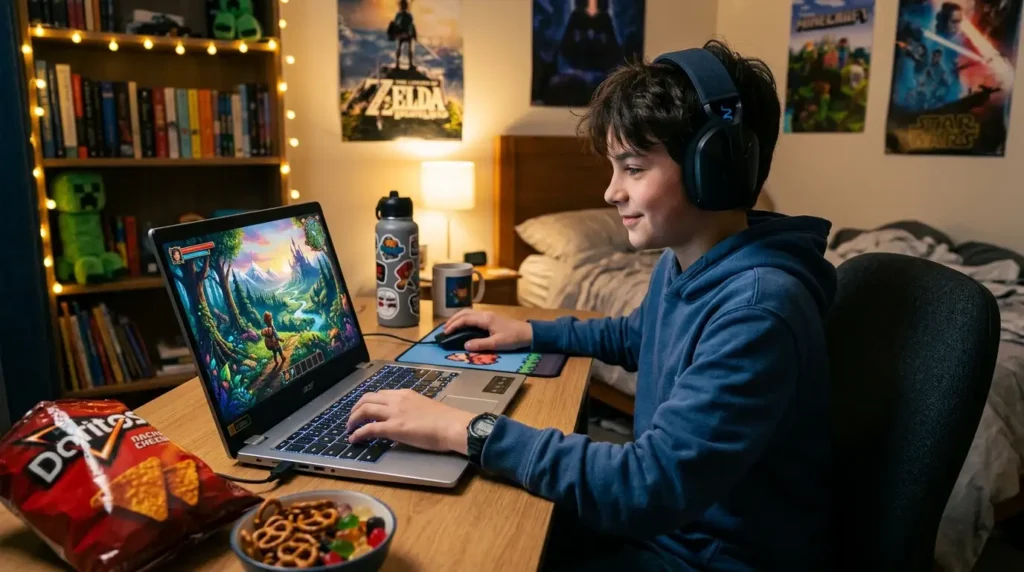
Cloud technology eliminates hardware limitations by running games on distant servers while streaming the visual output to your display. This lets budget devices run graphics-heavy titles smoothly.
Understanding how to set up and optimize cloud services opens doors to cutting-edge gaming experiences.
GeForce NOW
NVIDIA’s GeForce NOW service connects directly to existing PC game libraries on platforms like Steam, Epic Games Store, and Ubisoft Connect. Instead of buying titles twice, you stream games you already own.
The free tier offers one-hour session limits, while premium tiers provide longer sessions and enhanced graphics settings. It turns a standard laptop into a machine capable of running demanding open-world titles.
Xbox Cloud Gaming
Xbox Cloud Gaming comes bundled with an Xbox Game Pass Ultimate subscription, giving you instant access to a massive rotating library of games. You simply open your web browser, sign in, and stream right away.
It supports everything from cooperative shooters to deep role-playing adventures. Pairing a wireless Bluetooth controller creates an authentic console-style setup on your portable device.
Tips for Latency-Free Cloud Streaming
Because cloud gaming relies entirely on real-time video streaming, local network performance is extremely important. A few simple adjustments can eliminate lag and visual stuttering.
Wireless Network Selection
Always connect your device to a 5 GHz Wi-Fi band instead of a 2.4 GHz band. The 5 GHz frequency offers significantly higher bandwidth and lower latency, which prevents video buffering mid-game.
Bandwidth Allocation
Close background web tabs that stream video or download large files while playing. Every bit of internet bandwidth saved goes directly toward keeping your game stream smooth and responsive.
Retro Emulation and Classic Gaming
For fans of nostalgic retro titles, ChromeOS is a fantastic platform for running classic arcade and console emulators. Emulation software simulates vintage console hardware, allowing classic games to run on modern chips.
Setting up lightweight emulators brings decades of gaming history right to your fingertips.
Browser-Based Retro Archives
Websites like the Internet Archive host thousands of legal, playable retro arcade games directly in your browser window. You can experience original coin-op classics without downloading special files.
These preserved titles offer a fascinating look at gaming history, featuring simple controls that are easy to master.
Android Console Emulators
By downloading trusted emulation apps from the Play Store, you can convert your storage drive into a personal retro arcade console.
Emulators for 8-bit and 16-bit systems demand very little processing power, meaning they run smoothly even on entry-level hardware. Save state features let you pause and resume retro titles anytime.
Remember to only download software backup files of games you physically own to stay compliant with copyright laws.
Optimizing Your Laptop for Maximum Gaming Performance
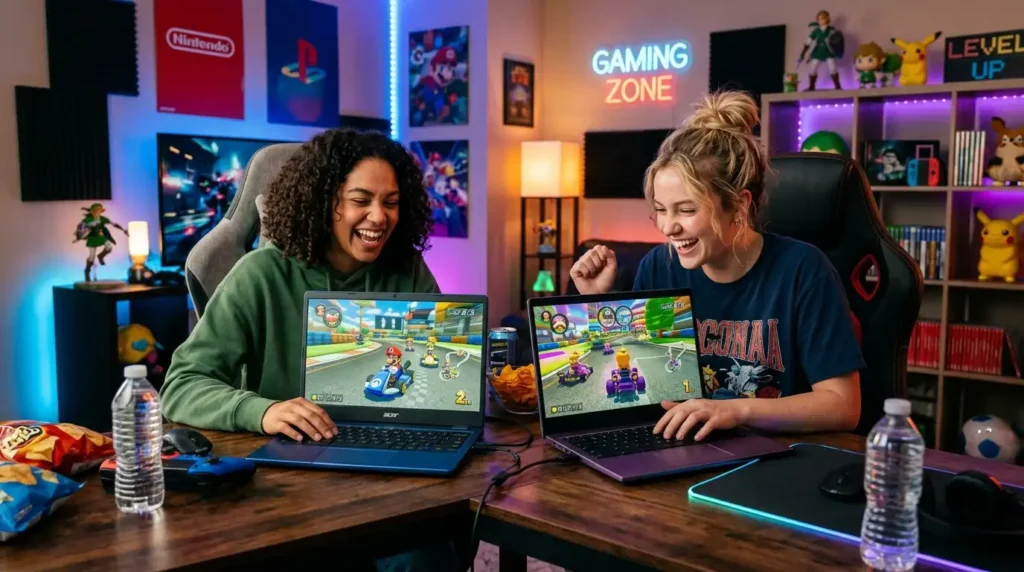
Getting smooth frame rates requires giving your system enough breathing room to process graphics efficiently. A few quick settings tweaks can boost performance significantly.
These simple adjustments ensure your hardware spends its energy on game performance rather than background chores.
Enable Hyper-Threading and GPU Acceleration
Open a browser window and type chrome://flags into your address bar to access experimental system settings. Locate flags related to hardware acceleration and ensure they are switched to enabled.
This forces your processor’s integrated graphics chip to handle visual rendering, taking heavy loads off your main CPU.
It results in higher frame rates and less heat generation during long sessions.
Manage RAM and Background Applications
Chromebooks excel at running multiple browser tabs, but open tabs consume system RAM quietly in the background. Close extra tabs before launching demanding titles to free up memory.
- Press
Search + Escto open the built-in Task Manager. - Identify tabs or apps using high memory percentages.
- Click “End Process” on unnecessary background tasks.
Freeing up system RAM prevents sudden frame drops during intense gameplay moments.
Adjust Screen Resolution and Zoom Settings
If a game feels sluggish or stutters, lowering your display resolution slightly can restore silky-smooth frame rates. Rendering fewer pixels on screen lightens the workload on your graphics chip immediately.
Go to your device display settings and adjust the display scaling slider down one step. You will gain a noticeable bump in overall responsiveness and fluidity.
Cozy and Relaxing Games for Low-Stress Sessions
Not every gaming session needs to involve fast reflexes or heart-pounding action. Sometimes you just want to sit back, unwind, and enjoy a peaceful world after a long day.
These low-stress titles emphasize creativity, atmosphere, and gentle exploration over high scores.
Unpacking
Unpacking is a meditative puzzle game about the familiar experience of pulling possessions out of boxes and fitting them into a new home. Part block-fitting puzzle, part home decoration, it tells a subtle story through items.
As you unpack belongings across different life stages, you learn about the unseen main character’s personal journey. There are no timers, scores, or failure states, making it pure relaxation.
Hidden Folks
Hidden Folks turns classic “find the hidden object” puzzles into an interactive, hand-drawn digital world. You search miniature black-and-white line drawings for specific characters, animals, and items.
Tapping on objects triggers funny, mouth-made sound effects—like doors opening, bushes rustling, or ladder rungs clanging.
It encourages slow, thoughtful observation and rewards curiosity with clever animations.
Terraria
Terraria blends classic action platforming with deep sandbox crafting and exploration. You dig deep beneath the earth to gather rare ores, construct cozy homes for non-player characters, and battle subterranean monsters.
While it includes exciting boss fights, you can spend hours building elaborate castles or farming rare crafting ingredients at your own speed.
Its rich 2D pixel world runs easily on low-power hardware while offering limitless creative freedom.
Multiplayer Games to Play with Friends

Gaming is often best enjoyed alongside friends and family. Chromebooks offer fantastic tools for connecting with others, whether sharing a keyboard locally or joining online lobbies.
These titles keep communication high and friendly rivalries exciting.
Shell Shockers
Shell Shockers is an online first-person shooter where every player controls an armed egg. The quirky theme keeps the mood lighthearted, but the movement and aiming mechanics are surprisingly sharp.
Because it runs entirely inside a standard web browser, your friends can jump into your custom game lobby within seconds via a shared URL link.
It is fast, silly, and offers fantastic pick-up-and-play entertainment.
Chess.com App and Web Portal
For fans of timeless strategy, playing chess online offers infinite challenge. The platform pairs you with players of similar skill levels across the globe for quick matches or long tactical battles.
- Interactive puzzle lessons to build tactical vision
- Analysis board features to review mistakes after games
- Friend leaderboards to track long-term progress
- Custom game timers ranging from 1-minute bullet to daily correspondence
It runs efficiently in any browser, turning your laptop into a digital chessboard.
Brawlhalla
Brawlhalla is a free-to-play 2D platform fighting game similar to Super Smash Bros. Players pick unique mythical legends and attempt to knock rivals off floating arenas using weapons and special moves.
It features full cross-platform play support, meaning you can join matches with friends playing on consoles or PCs.
Smooth keyboard support lets you execute precise dodges, weapon throws, and aerial combos effortlessly.
MCQs)
Test your understanding of ChromeOS gaming, platform types, and optimization tips with this quick multiple-choice quiz!
1. What device can you use to play Chromebook games?
A) Chromebook
B) Refrigerator
C) Camera
D) Printer
2. Which type of game can be played on a Chromebook?
A) Puzzle game
B) Water polo
C) Running race
D) Boxing match
3. What can make playing games on a Chromebook more comfortable?
A) Headphones
B) Cooking utensils
C) Sports shoes
D) Umbrellas
4. Which game type involves solving challenges and finding answers?
A) Puzzle games
B) Racing games
C) Sports games
D) Music games
5. What can friends enjoy together on Chromebooks?
A) Multiplayer games
B) Swimming
C) Hiking
D) Cycling
6. Where can students play educational games on Chromebooks?
A) In a classroom
B) In a swimming pool
C) On a football field
D) At a beach
7. What can players use to control games on a Chromebook?
A) Keyboard and touchpad
B) Spoon and fork
C) Pencil sharpener
D) Water bottle
8. Which game type can involve driving virtual cars?
A) Racing game
B) Puzzle game
C) Word game
D) Drawing game
9. What is one benefit of fun Chromebook games?
A) They can provide entertainment
B) They make food
C) They wash clothes
D) They clean rooms
10. What should players do when using a Chromebook for games?
A) Take regular breaks
B) Never rest their eyes
C) Spill water on the device
D) Ignore the device’s safety
Answer Key
- A) Chromebook
- A) Puzzle game
- A) Headphones
- A) Puzzle games
- A) Multiplayer games
- A) In a classroom
- A) Keyboard and touchpad
- A) Racing game
- A) They can provide entertainment
- A) Take regular breaks
FAQs
Can Chromebooks run games without an internet connection?
Yes, you can play many offline games on a Chromebook. Downloaded Android apps from the Google Play Store, installed Progressive Web Apps, and games running inside a Linux environment work without an active Wi-Fi connection.
Are cloud gaming platforms free to use on ChromeOS?
Many cloud services offer free usage tiers alongside paid subscriptions. For example, NVIDIA GeForce NOW provides free one-hour sessions, allowing you to test out performance before committing to a monthly plan.
Can I connect a wireless controller to my Chromebook?
Yes, ChromeOS features built-in Bluetooth support for modern controllers. Most wireless gamepads connect easily through system settings and work automatically across cloud platforms and supported Android games.
How do I check if my Chromebook supports Android games?
Open your system settings menu and look for the Google Play Store tab. If the option is visible, your device supports Android applications and can install games directly from the store.
Why do some Android games look stretched on my laptop screen?
Some Android apps were designed exclusively for tall phone screens rather than wide laptop displays. You can fix this by resizing the app window or selecting “Tablet” or “Resizable” mode in the app title bar.
Can I play PC games from Steam on a Chromebook?
Yes, you can play Steam games using cloud streaming platforms like GeForce NOW. Additionally, higher-end models support native Steam installation through built-in Linux support or dedicated Alpha testing channels.
Conclusion
Your ChromeOS device is far more than a tool for writing papers and browsing the web. By exploring browser archives, Play Store apps, and cloud streaming platforms, you have access to thousands of fun Chromebook games for any mood.
Whether you want to relax with cozy farming simulators, test your reflexes in fast-paced web arenas, or stream triple-A adventures, great entertainment is always a click away. Simply keep your system updated, close unnecessary background tabs, and pick games that fit your play style.
Now that you know how to unlock your machine’s full potential, launch your favorite title and enjoy the fun! What exciting game will you load up first on your next break?

Ethan Danial is the creator and lead writer behind FunWhirls.com, a fun-focused platform dedicated to entertaining ideas, fascinating facts, funny moments, creative lists, and content that sparks curiosity. With a genuine love for discovering interesting and unexpected topics, Ethan enjoys turning simple ideas into engaging content that readers can enjoy, learn from, and share. His approach is centered on making every article easy to read, enjoyable, and worth coming back to.
At FunWhirls.com, Ethan Danial explores the lighter and more entertaining side of everyday life. He creates content for readers who love discovering something new, having a quick laugh, or simply taking a break from the ordinary. From curious facts to playful ideas and entertaining discoveries, Ethan aims to keep the content fresh, positive, useful, and engaging for readers of all kinds.